Block time for holidays or maintenance
Close one resource or the whole location for a specific period.
- Where to go
- Settings → Availability → Closures
- Access
- Staff with access to this section
 View full size
Step by step
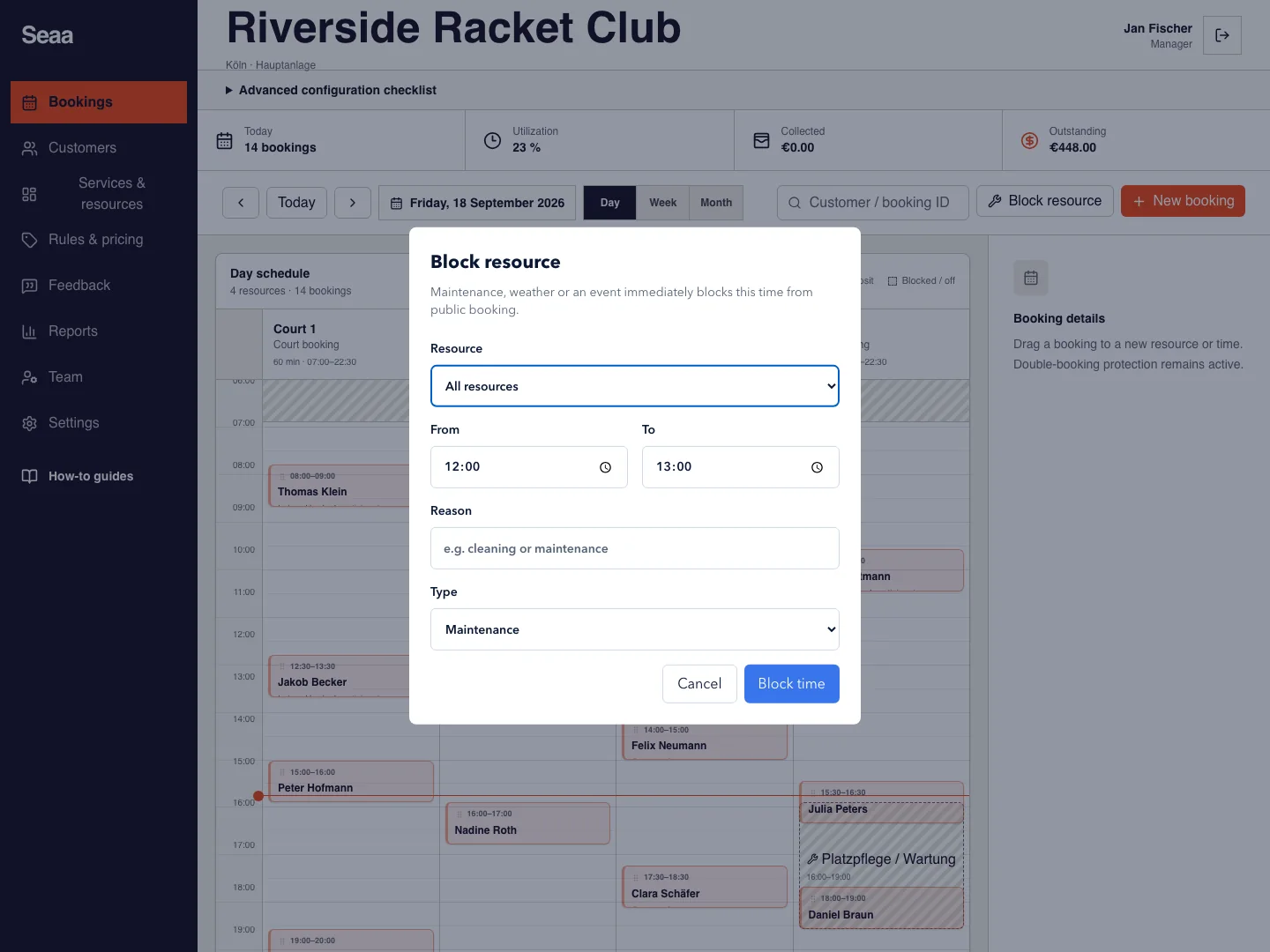
Open Availability and add a closure, or use Block resource in Bookings.
Choose the affected resource, or all resources if the entire location is closed.
Set the start and end date/time, add a clear reason, and save.
Review affected bookings separately. Edit or remove the closure from the closures list when your plans change.
Check it worked
The blocked period is unavailable on the customer booking page.
Good to know
Blocking time does not replace cancelling or rescheduling existing reservations. Resolve those bookings before closing the resource.
Reviewed 18 September 2026. Screenshots use fictional demo data; available actions depend on your role and enabled features.