Add a place, specialist, or resource
Define what is available to book and when it can be used.
- Where to go
- Services & resources → Resources
- Access
- Owner or manager
 View full size
Step by step
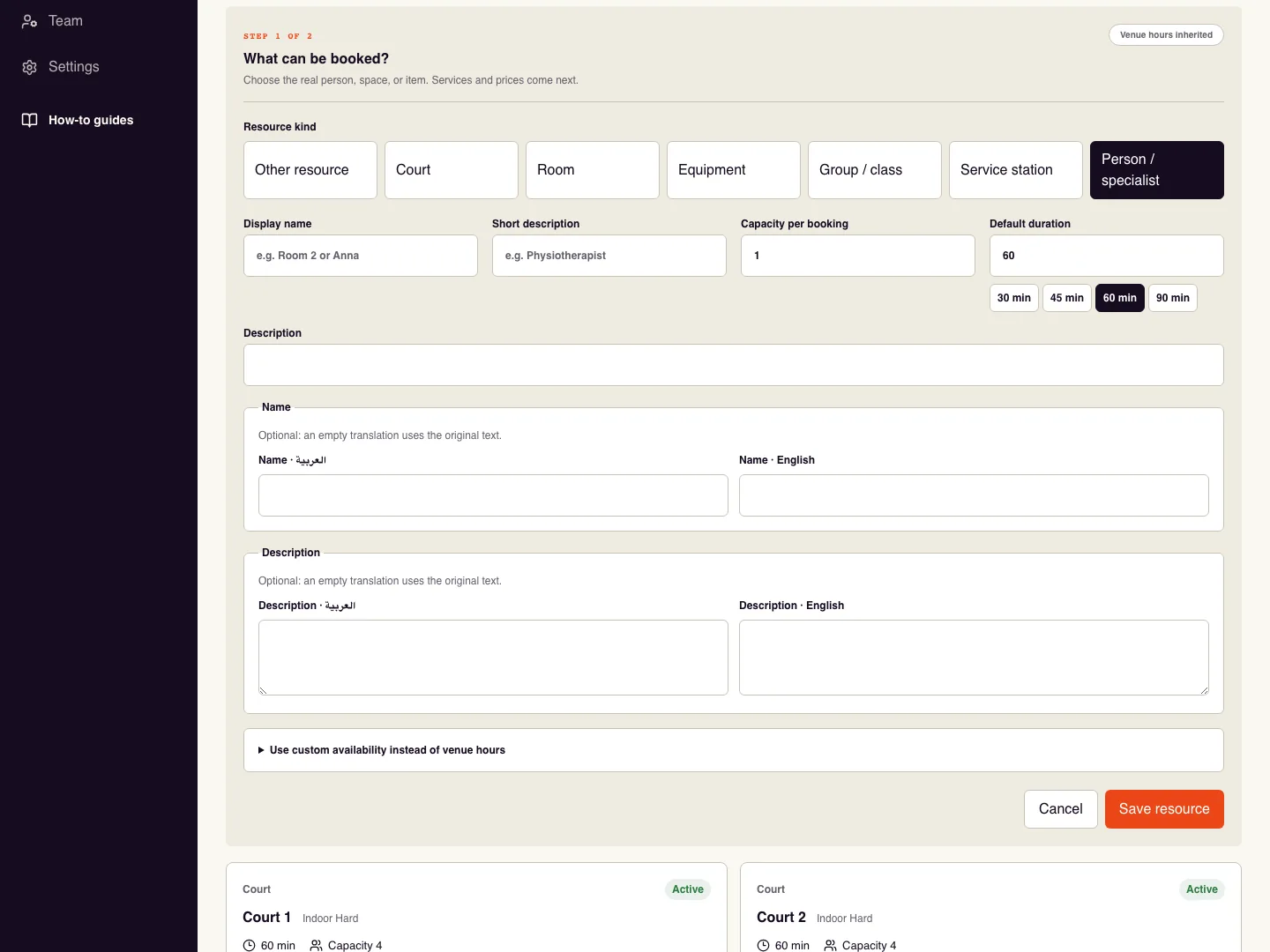
Open Services & resources and choose Create resource. A resource is the actual room, court, person, class, or item used by a booking.
Choose the resource kind, enter its display name and optional description, then set capacity per booking and default duration.
Keep location hours unless this resource works different times. If needed, enable custom availability and set at least one working day.
Save resource. Use search and status filters to find it later. Duplicate opens an editable copy for review before saving. Edit changes its details; Pause stops new availability while keeping existing bookings.
Check it worked
The resource is active in the catalogue and can be selected when creating a service.
Good to know
Capacity is not the same as shared seats. Choose the sharing behaviour on the service too.
Reviewed 20 September 2026. Screenshots use fictional demo data; available actions depend on your role and enabled features.