Sign in and open your workspace
Use a verification code and choose the right business.
- Where to go
- Business sign in
- Access
- Anyone; no business sign-in needed
 View full size
Step by step
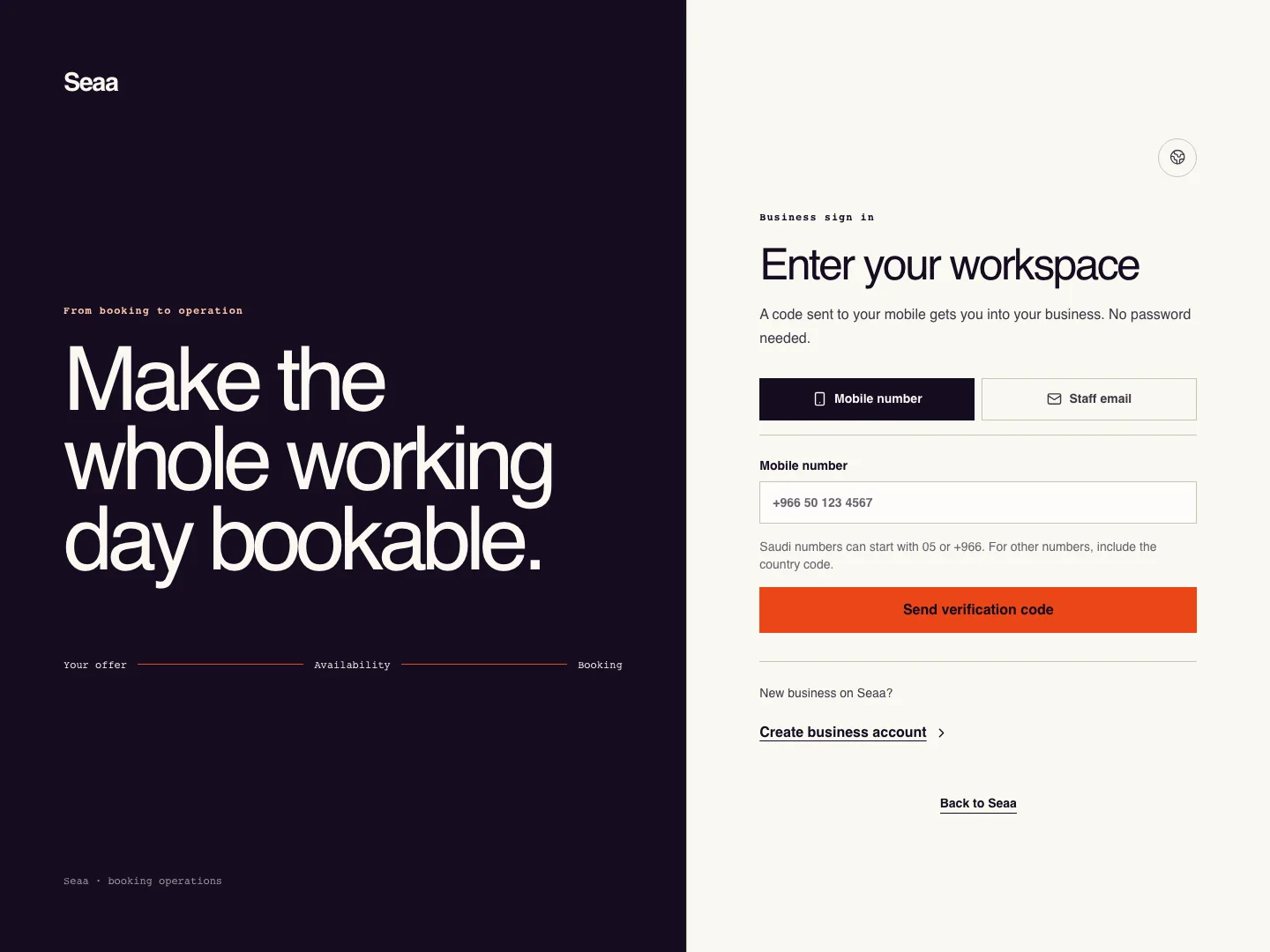
Open Business sign in from Seaa. Use the linked mobile number, or choose email and enter your enabled sign-in email or exact staff-invitation email.
Request the code and enter the latest six-digit code you receive. Wait for the resend countdown before requesting another.
If you belong to more than one business, choose its workspace. Check the business name and location in the dashboard header. Your account name identifies you; the workspace name identifies the business. Creating a business replaces a temporary mobile-registration name with the personal name you enter, while preserving an account name you already chose.
Invited by email? Use your invitation link and the exact invited email. Sign out from the top bar when using a shared device.
As the owner, to enable email sign-in after mobile registration, open Settings → Business profile → Email sign-in. Choose Enable email sign-in, enter the inbox code, then Verify and enable sign-in.
Check it worked
The dashboard shows your business name and your assigned role.
Good to know
Saving a contact email or verifying booking alerts does not enable email sign-in. If linking is unavailable, continue with your mobile or contact support.
Reviewed 20 September 2026. Screenshots use fictional demo data; available actions depend on your role and enabled features.