Accept bank transfers and record payments
Show payment instructions and keep each booking’s balance accurate.
- Where to go
- Settings → Payments & documents; Bookings → booking
- Access
- Staff with access to this section
 View full size
Step by step
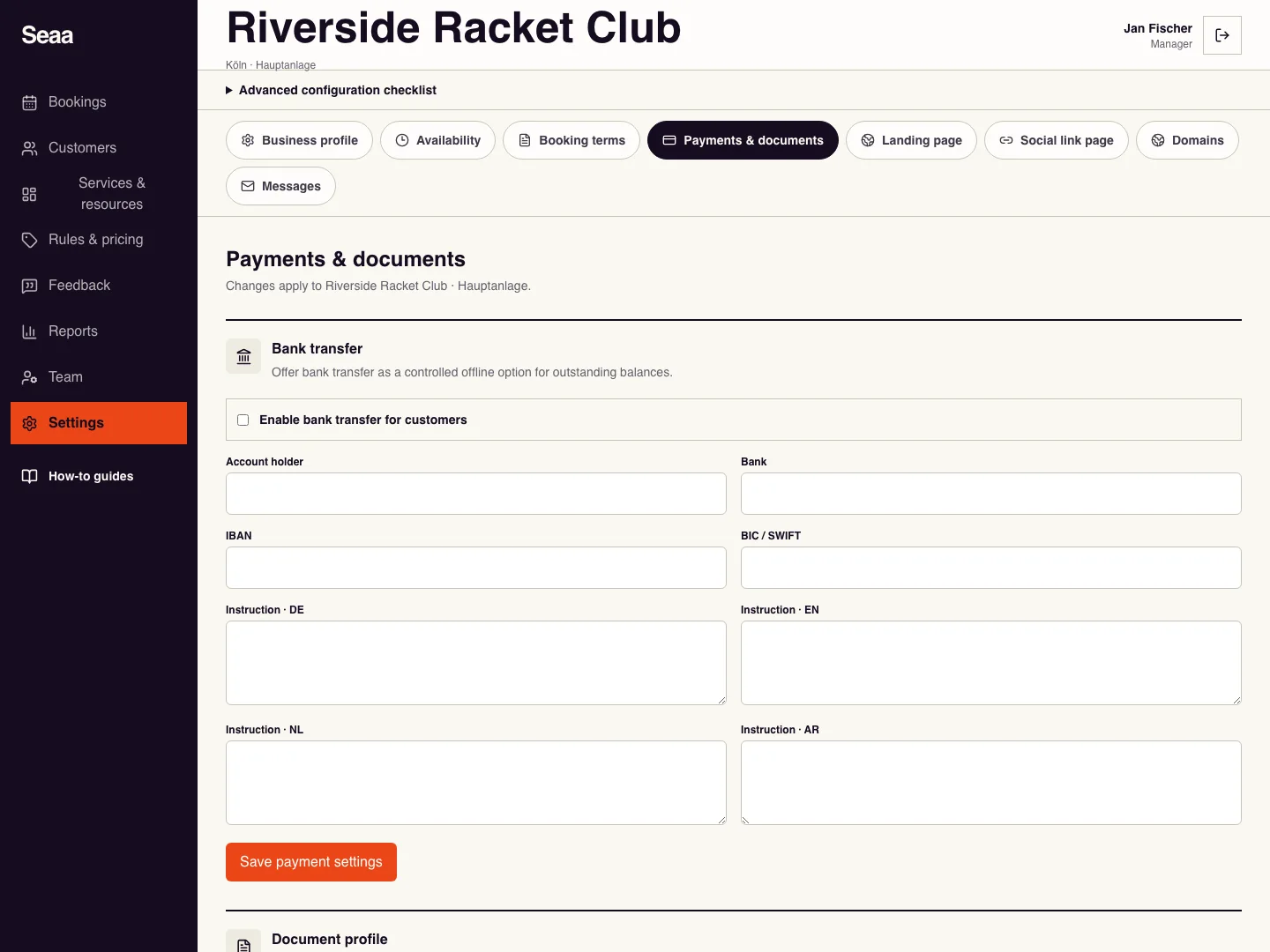
As owner or manager, open Payments & documents. Enable bank transfer, enter the account holder, bank, IBAN, and customer instructions, then Save payment settings.
After receiving cash or checking a transfer in your bank, open the booking in Bookings and choose Record payment.
Read the outstanding amount shown: this action records the full remaining balance. Only after receiving that amount, choose cash or bank transfer, add a reference note, and save once.
Review the paid amount and outstanding balance in the booking details. Do not use this full-balance action to record a partial payment.
Check it worked
The paid amount increases and the booking’s outstanding balance decreases.
Good to know
Bank instructions do not verify transfers automatically. If a save times out, reopen the booking and check its paid amount before retrying.
Reviewed 18 September 2026. Screenshots use fictional demo data; available actions depend on your role and enabled features.