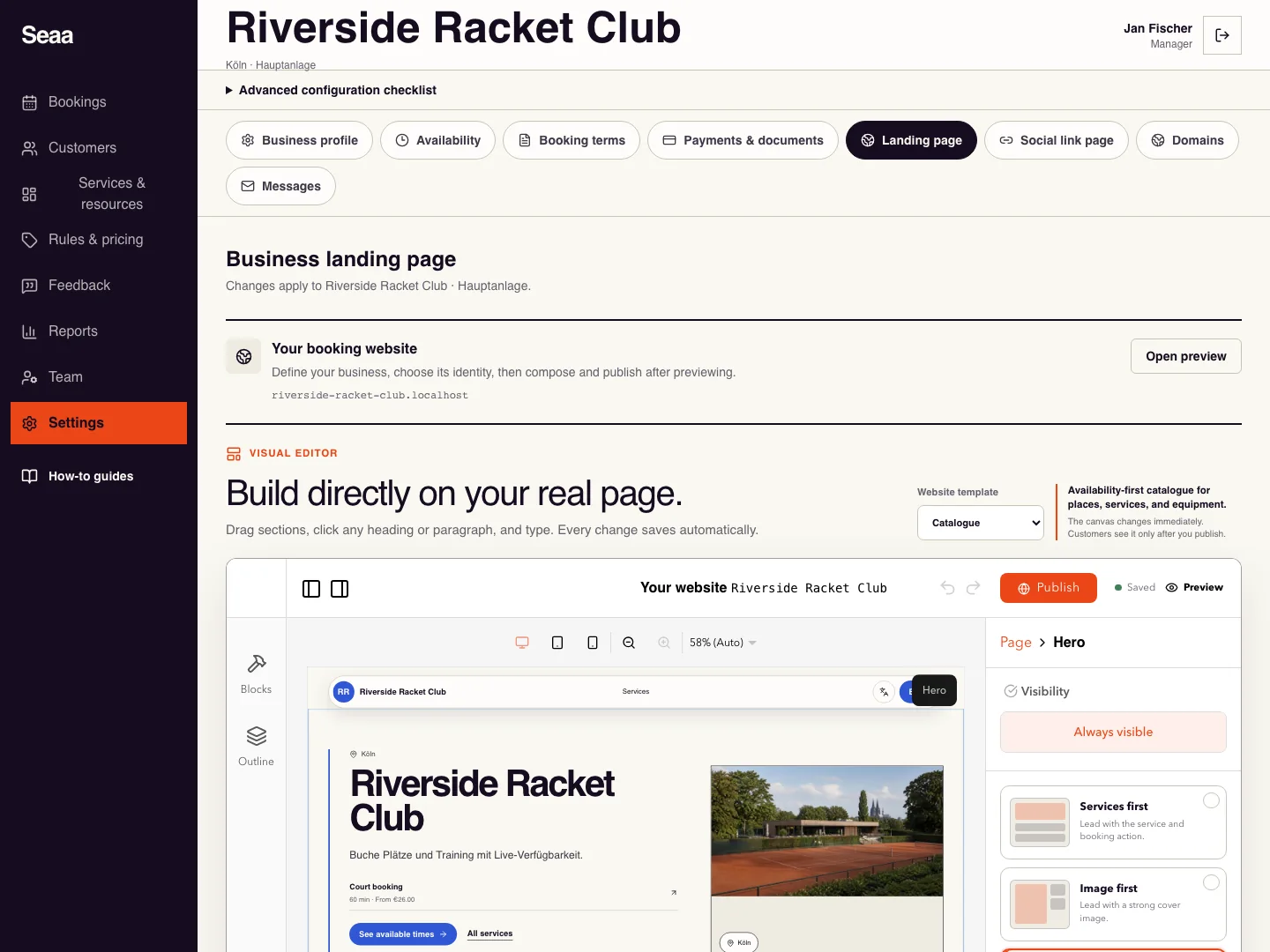
Build, preview, and publish your website
Choose a design, edit a saved draft, and publish after document approval.
- Where to go
- Settings → Landing page
- Access
- Owner or manager
 View full size
Step by step
Open Landing page and choose Change template. Select a design for your business; switching designs keeps your authored content and booking catalogue.
Edit text on the page or in its content panel. Set your identity, images, contact details and languages. Use Editing language to check both Arabic and English; on mobile, switch between Page and Edit.
Arrange or hide sections and choose the services shown. Wait for Draft saved; if saving fails, retry before leaving. Services, prices and availability come from your business catalogue.
Choose Preview to inspect the draft. Business verification lets you submit a CR or freelance certificate when publication is blocked. Editing and previews stay available while Seaa reviews it manually.
After approval, choose Publish website, then Open website and check it while signed out. Future edits remain drafts until you publish again.
To recover an earlier design, open Version history and choose Use as draft. Review the restored draft and publish it explicitly when ready.
Check it worked
The published page matches the reviewed draft and its booking and contact links work.
Good to know
Approval, autosave and restoring a draft do not publish it. Blank sections can show editor placeholders while remaining hidden publicly.
Reviewed 20 September 2026. Screenshots use fictional demo data; available actions depend on your role and enabled features.