Update your business profile and language
Keep your business details, images, and staff language up to date.
- Where to go
- Settings → Business profile
- Access
- Owner or manager
 View full size
Step by step
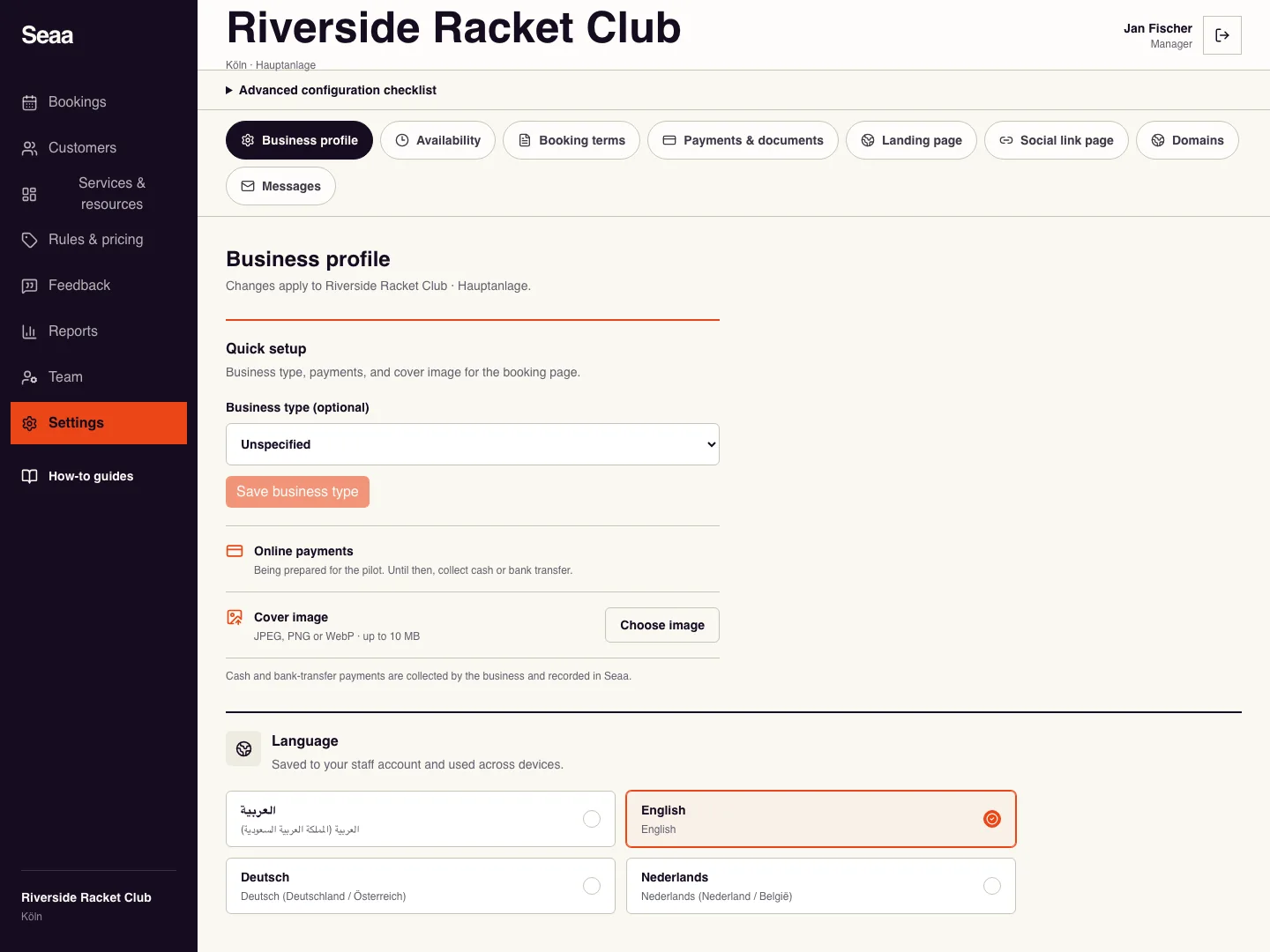
Open Settings, then Business profile. Check that you are editing the intended business and location.
Update the editable business fields and business type, then save the form. Use the name customers recognise.
For your public logo and cover, open Settings → Landing page and use the editor’s Identity and image controls. Wait for Draft saved before leaving.
Choose your staff account language in Language. To change public wording or customer languages, use Settings → Landing page.
Check it worked
Reload the page; the saved fields and language remain selected.
Good to know
Your staff language and customer-facing languages are separate settings. Update both when you need both to change.
Reviewed 20 September 2026. Screenshots use fictional demo data; available actions depend on your role and enabled features.