Submit your business document for publication
Submit a CR or freelance certificate, follow manual review, and correct it if requested.
- Where to go
- Guided setup → Confirm your business; Website editor → Business verification
- Access
- Owner or manager; a CR or freelance certificate ready to upload
 View full size
Step by step
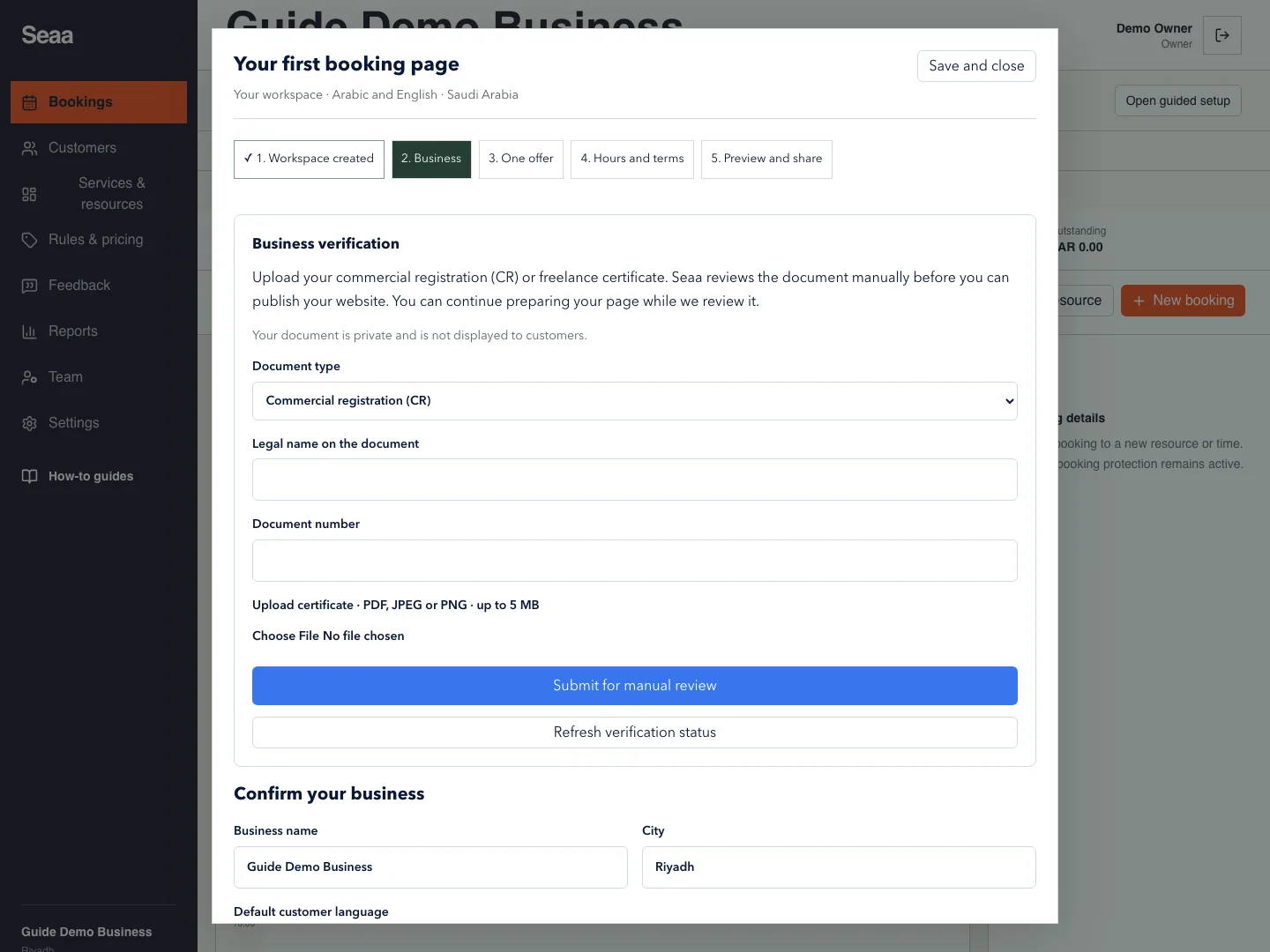
Open Business verification in guided setup or the website editor. Choose Commercial registration (CR) or Freelance certificate.
Enter Legal name on the document and Document number exactly as shown. Upload a readable PDF, JPEG or PNG up to 5 MB.
Choose Submit for manual review. Awaiting manual review means Seaa staff have not approved publication yet. Continue preparing services, hours, terms and private page previews.
Use Refresh verification status to check the result. If Changes required · upload a corrected document appears, read the reviewer’s note, correct the fields or file, and submit again.
After Approved · you can publish, return to the editor, review the draft and choose Publish website. Approval itself does not publish the page.
Check it worked
The status confirms approval, then your explicitly published page opens while signed out.
Good to know
This is manual Seaa review, not automated government validation or payment-provider approval. The certificate stays private. New businesses need approval for public pages and new customer bookings. Existing booking records remain accessible. An older site may show that it can stay live during review; that exception is not document approval. Revoked approval hides the site and requires a new submission.
Reviewed 20 September 2026. Screenshots use fictional demo data; available actions depend on your role and enabled features.