Set up invoices and payment receipts
Save the business details that appear on booking documents.
- Where to go
- Settings → Payments & documents → Document profile
- Access
- Owner or manager
 View full size
Step by step
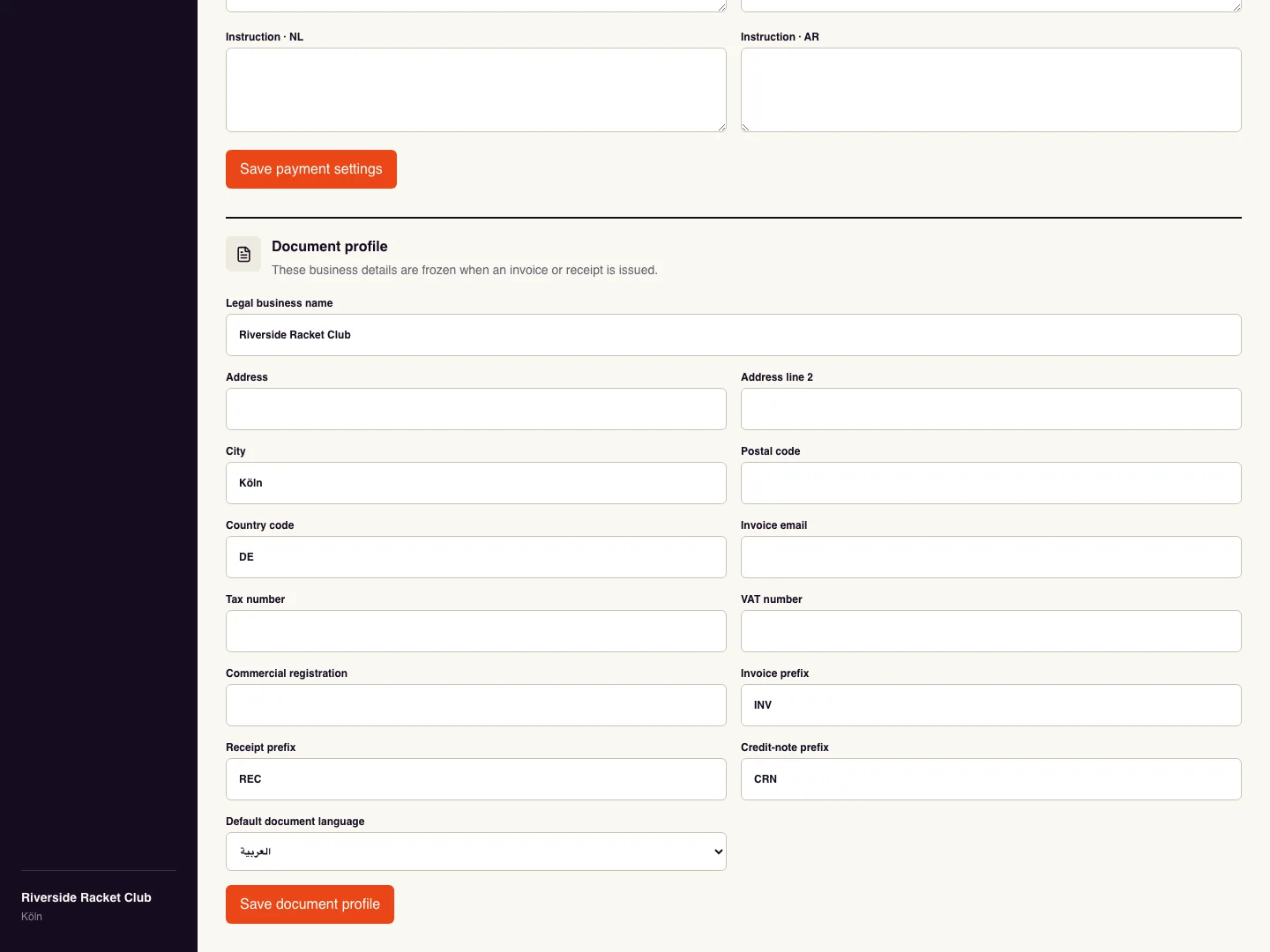
Fill in the legal business name, address, country, invoice email, and any applicable business registration or tax fields in Document profile.
Set invoice, receipt, and credit-note prefixes and the default document language, then Save document profile.
Customers open their private Manage booking link and find Documents. Create invoice generates the booking invoice; Create receipt becomes available after a payment is recorded.
Use Download PDF to save a document or Email me to queue it to the booking email. Keep the private booking link with the customer.
Check it worked
Open the downloaded PDF and check the business identity, booking, amount and document number, including Arabic text and the riyal symbol where applicable.
Good to know
Issued documents keep the business details captured when issued. Editing the profile changes future documents, not earlier PDFs. These are booking documents; do not treat them as verified ZATCA e-invoices.
Reviewed 20 September 2026. Screenshots use fictional demo data; available actions depend on your role and enabled features.