Cancel a booking and check refunds
Separate the reservation status from money returned to the customer.
- Where to go
- Bookings → booking
- Access
- Staff with access to this section
 View full size
Step by step
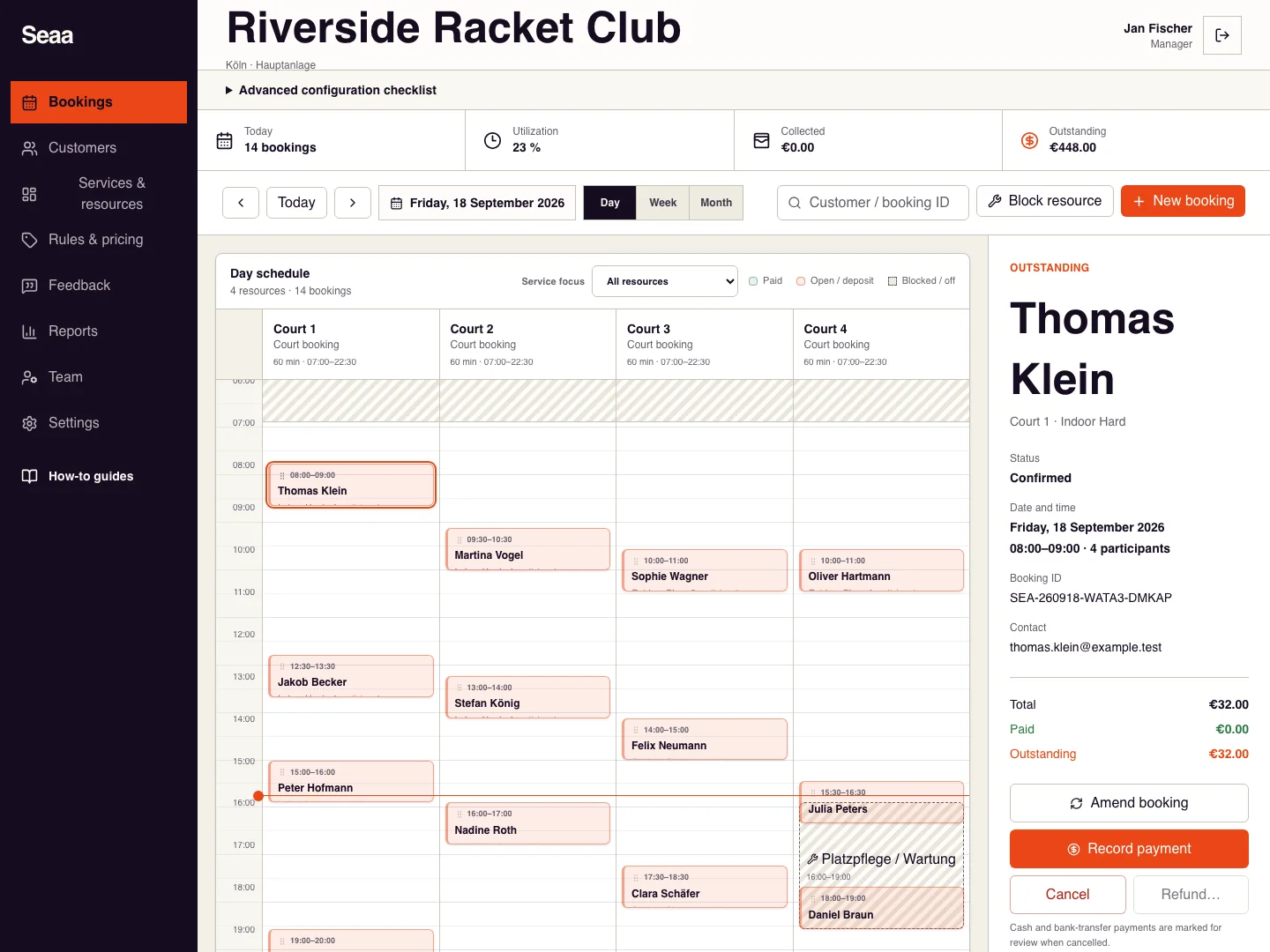
Open the correct booking and review its cancellation terms, paid amount, and existing refunds.
Choose Cancel, read the confirmation, and confirm only the intended booking.
Read the result: no refund needed, member credit restored, online refund initiated, or manual review required each means a different next step.
If an online Refund action is available, review its eligible amount and confirm it once. For cash or bank transfers, arrange the actual return with the customer and follow your payment reconciliation process.
Reopen the payment history to verify the final state. An initiated refund is still pending until the provider confirms it.
Check it worked
The booking is cancelled and any remaining payment follow-up is clear.
Good to know
Cancelling a reservation alone does not prove that cash, a transfer, or an online payment was returned.
Reviewed 20 September 2026. Screenshots use fictional demo data; available actions depend on your role and enabled features.