Find and add customers
Use customer records to find booking history and memberships.
- Where to go
- Customers
- Access
- Staff with access to this section
 View full size
Step by step
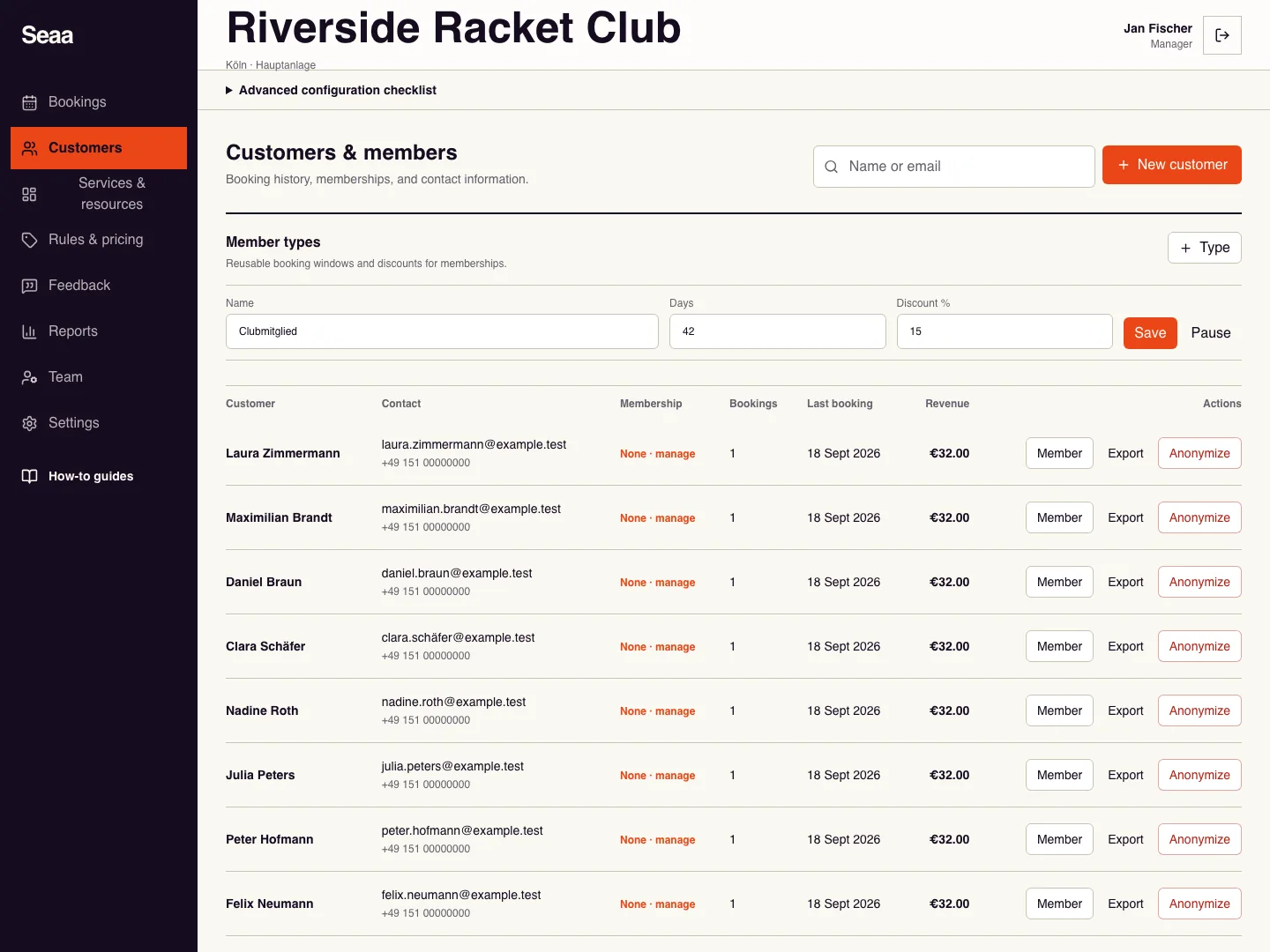
Open Customers and search by name or email before adding a new record.
For a new contact, choose New customer and enter first name, last name, email, and optional phone.
Save the customer and check the contact details. Use the customer’s actions to view available history or manage memberships.
When creating a booking, use consistent customer details so future records remain easy to find.
Check it worked
The customer appears once in your search with the correct contact details.
Good to know
Creating a contact does not send a team invitation or give the customer dashboard access.
Reviewed 20 September 2026. Screenshots use fictional demo data; available actions depend on your role and enabled features.