Send feedback and follow product updates
Suggest a feature, report a problem, or review your Seaa experience.
- Where to go
- Settings → Feedback & requests
- Access
- Signed-in business staff
 View full size
Step by step
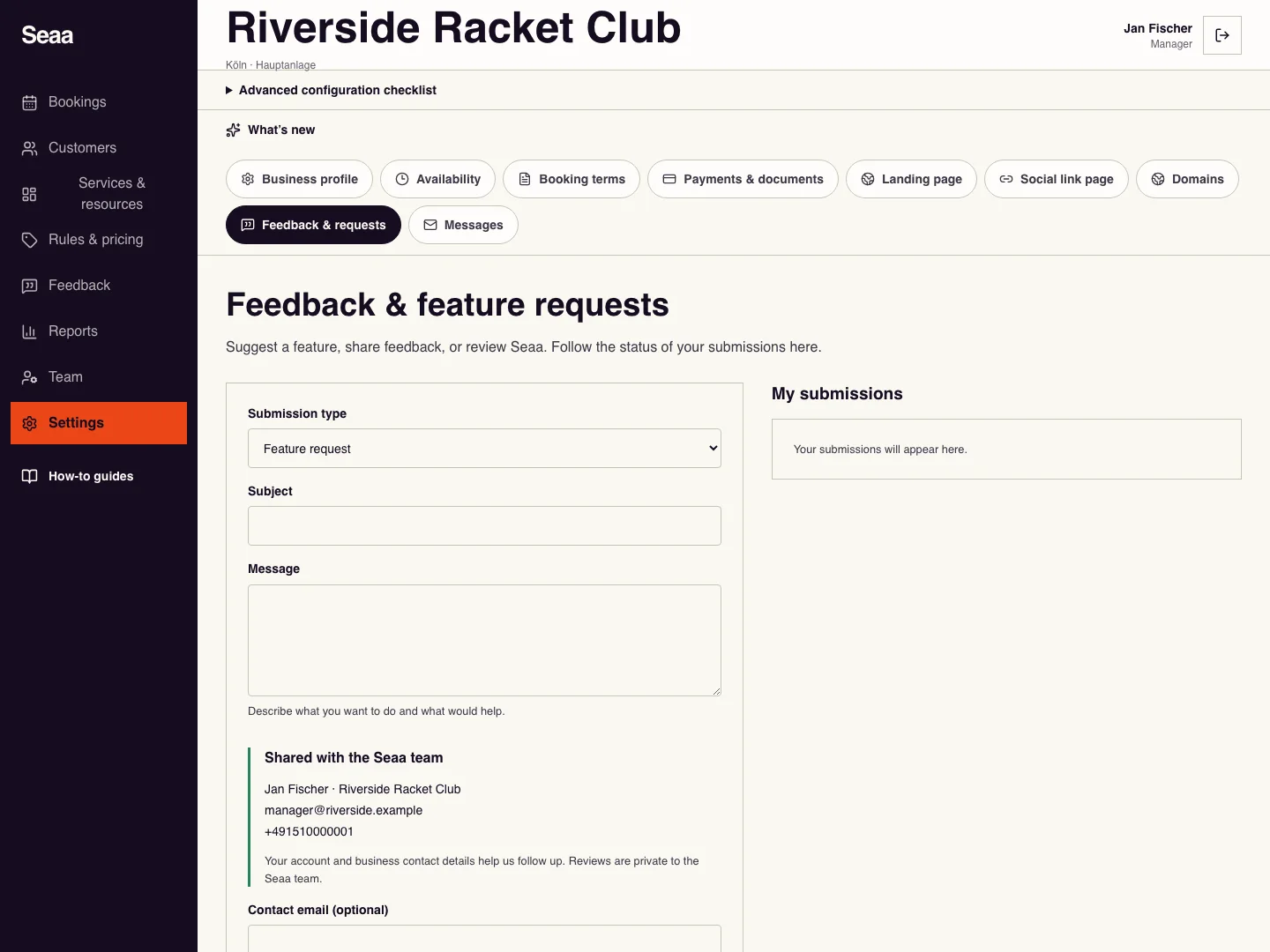
Open Feedback & feature requests and choose Submission type. Add a clear Subject and Message describing the outcome you need.
Review Shared with the Seaa team. Your account and business contact details accompany the message; you may add an optional contact email or phone.
Choose Send to Seaa, then check My submissions for the saved message, status and any Seaa response.
When a submission links to an update, choose View release. You can also read published updates at /changelog; a submitted or planned request is not a released feature.
Check it worked
Your message appears in My submissions with its current status.
Good to know
These reviews are private to Seaa. Customer booking reviews are managed separately in Reviews. Do not include passwords, verification codes or private customer documents.
Reviewed 20 September 2026. Screenshots use fictional demo data; available actions depend on your role and enabled features.