Export or anonymise a customer record
Find the right record and use its data controls carefully.
- Where to go
- Customers → customer row
- Access
- Staff with access to this section
 View full size
Step by step
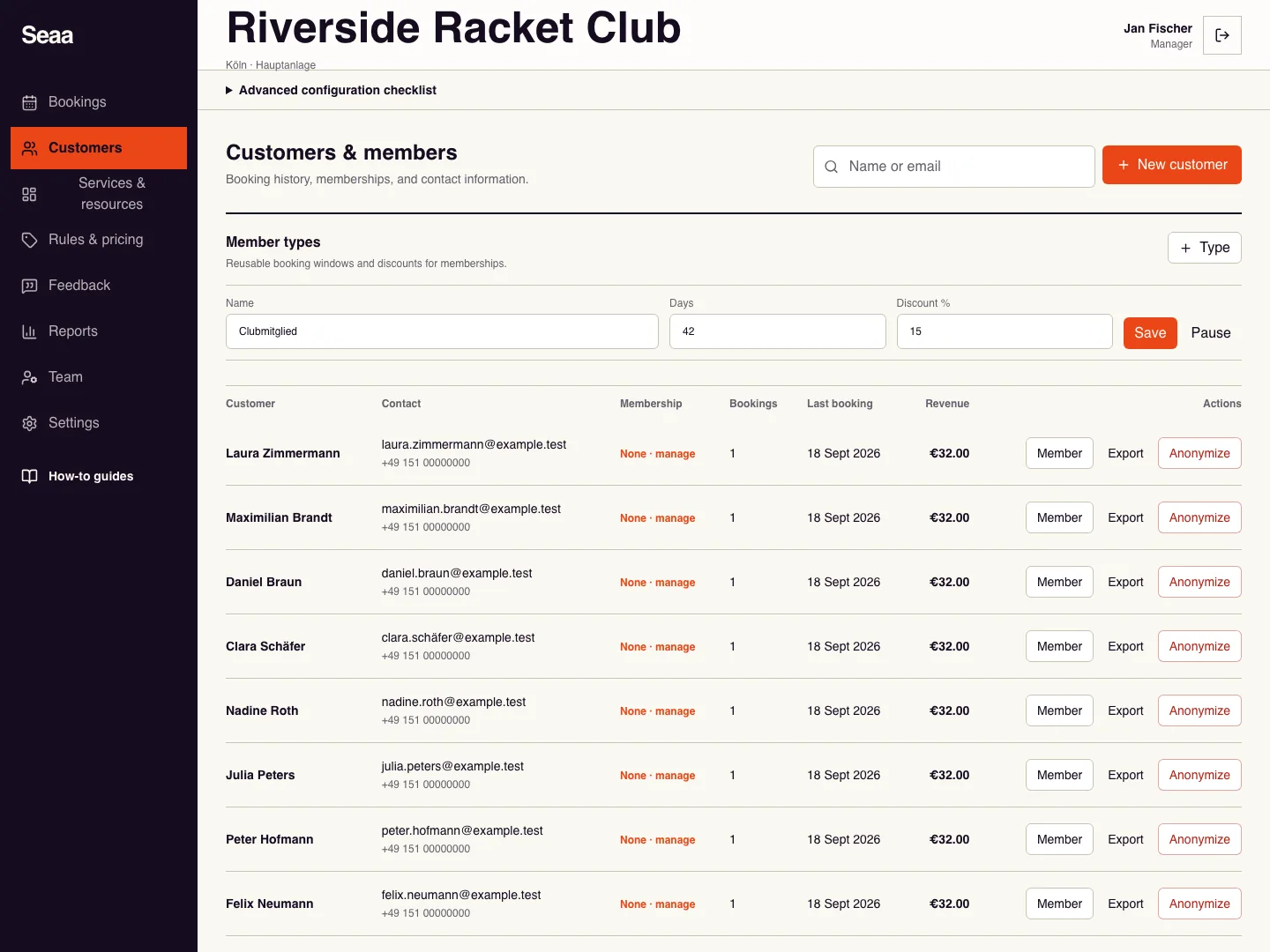
Search by the customer’s exact name or email and verify the matching record before taking any action.
Choose Export to download that customer’s data as a JSON file. Store and share it only with the intended recipient.
For an authorised anonymisation request, resolve active bookings first. Review the record and choose Anonymize.
Read the confirmation before proceeding. After confirming, check the resulting record or displayed error; do not treat anonymisation as a reversible edit.
Check it worked
The intended export downloads, or the selected record is anonymised after the request succeeds.
Good to know
Anonymising customer details does not mean every historical booking or financial document is deleted.
Reviewed 20 September 2026. Screenshots use fictional demo data; available actions depend on your role and enabled features.