Offer longer packages and extensions
Let customers book extra time with a clear total price.
- Where to go
- Services & resources → service → Package lengths & extensions
- Access
- Owner or manager
 View full size
Step by step
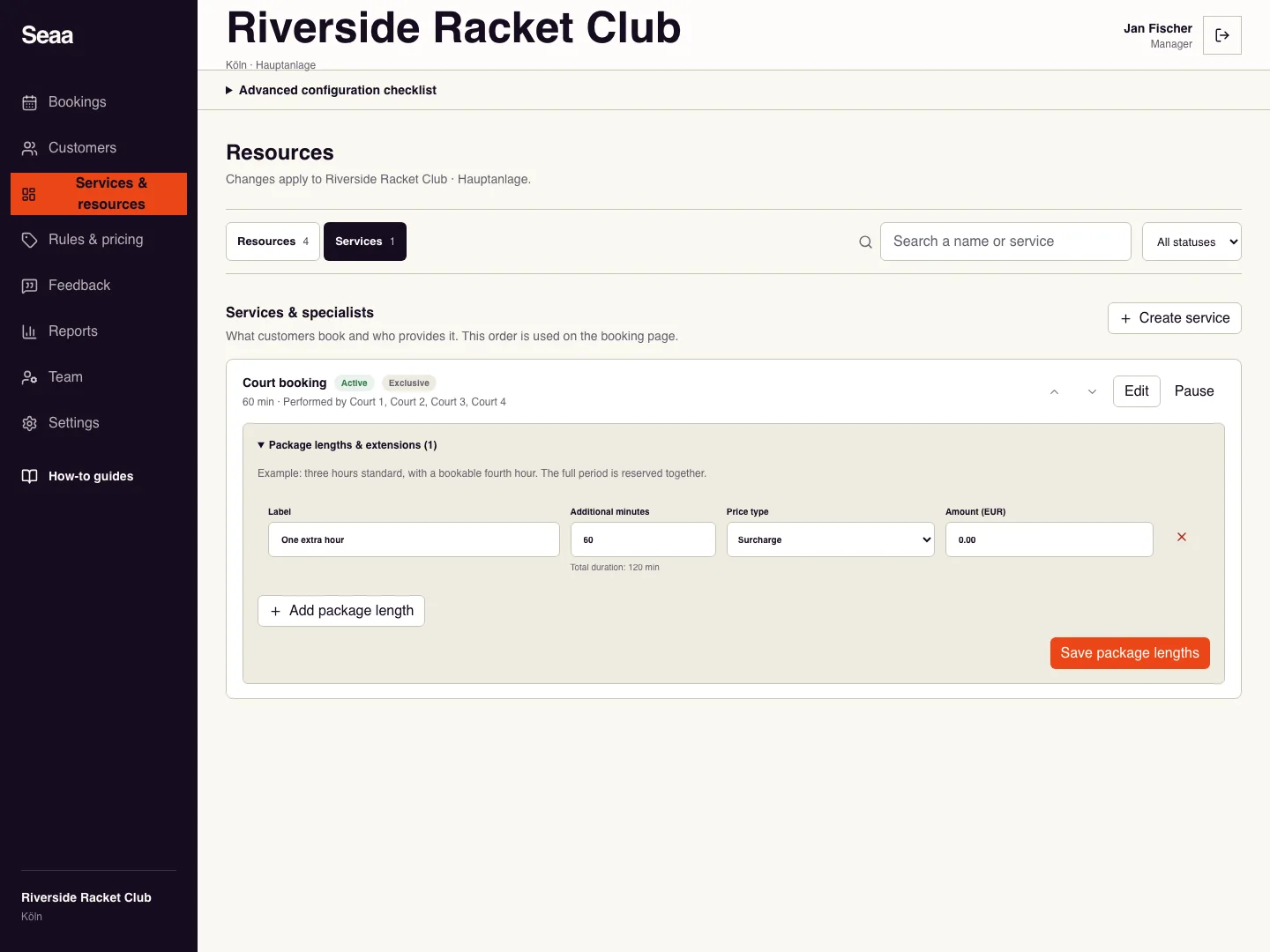
Find the service and open Package lengths & extensions. Check its base duration first.
Choose Add package length. Give it a clear label, such as “One extra hour”, and enter additional minutes.
Choose Surcharge to add to the base price, Fixed total to replace the total, or Included for no extra charge. Enter the amount where required.
Choose Save package lengths, then check the customer page: the total duration must include both the base time and extension.
Check it worked
Selecting an extension updates the full reserved period and total before checkout.
Good to know
Use different additional minutes for each option. An extension needs uninterrupted availability for the entire period.
Reviewed 20 September 2026. Screenshots use fictional demo data; available actions depend on your role and enabled features.