Set booking, payment, and cancellation rules
Choose advance notice, booking windows, and how guests confirm.
- Where to go
- Rules & pricing → Booking rules
- Access
- Owner or manager
 View full size
Step by step
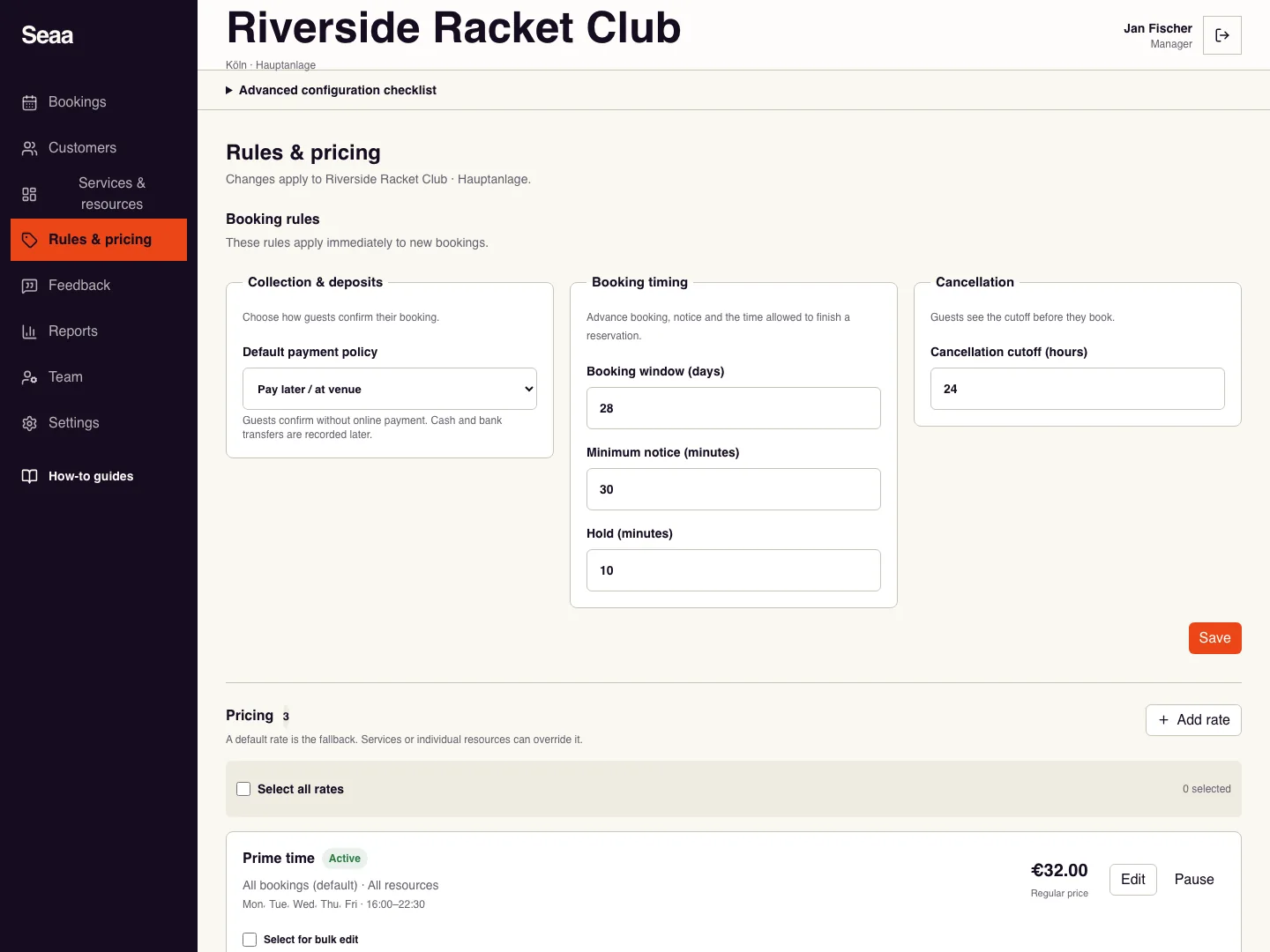
Choose the default payment policy. Pay later lets guests confirm without paying online. Online payment and deposit options appear only when enabled for your business.
Set Booking window in days and Minimum notice in minutes. For example, 30 days and 120 minutes allow bookings up to a month ahead but at least two hours before starting.
Set Hold in minutes for checkout and Cancellation cutoff in hours. If eligible online refunds are available, choose whether they run automatically.
Save and test a time inside and outside the allowed window. Update your written booking terms to match.
Check it worked
New bookings follow the saved rules and show the amount due before confirmation.
Good to know
Rules apply to new bookings. Review existing bookings individually rather than assuming their agreed terms changed.
Reviewed 20 September 2026. Screenshots use fictional demo data; available actions depend on your role and enabled features.